 111
111 2
2 3
3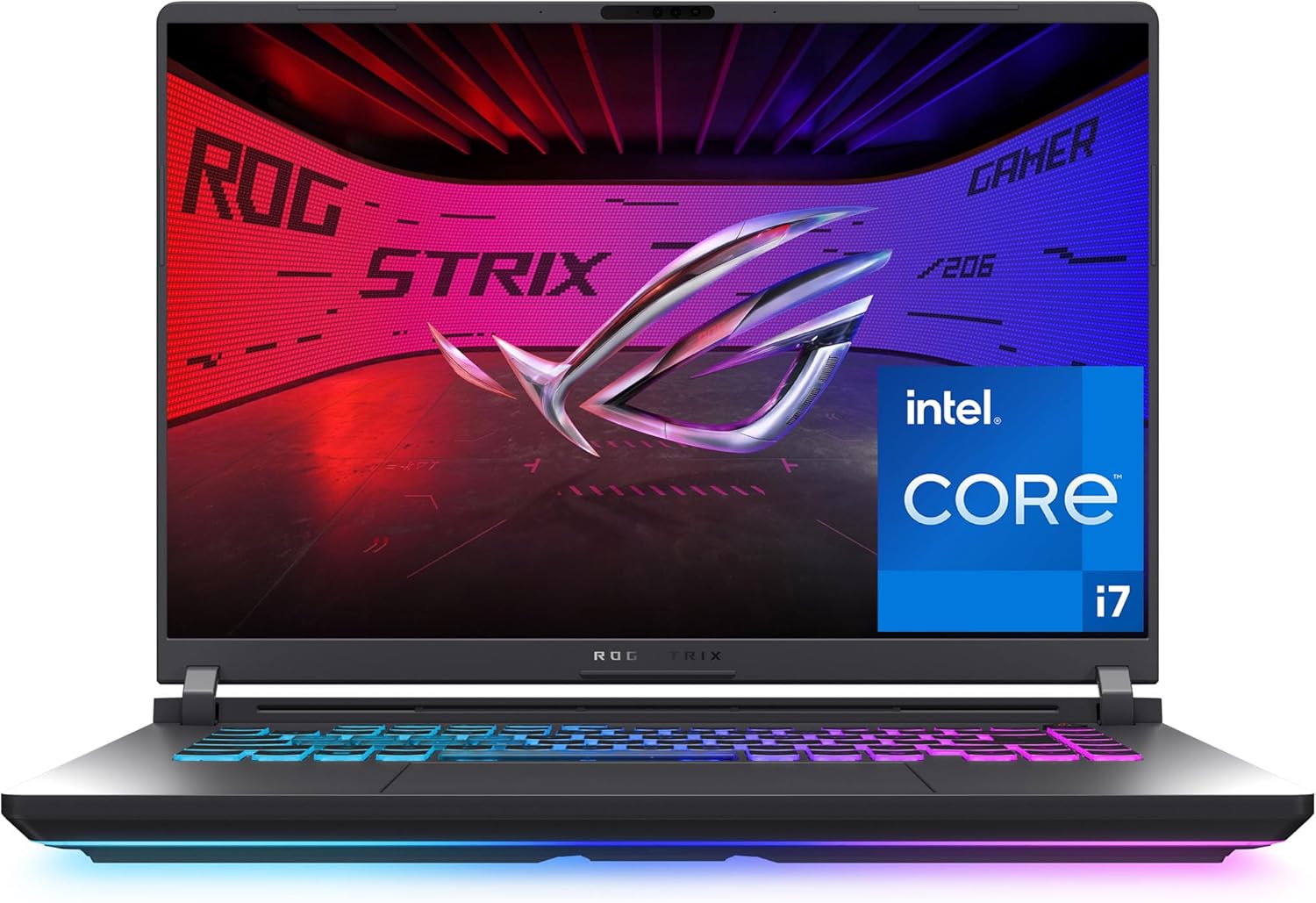
Modern gaming laptops continue to bridge the gap between desktop-level performance and portable productivity. The ASUS ROG Strix G16 (2025) is designed for users who need a balance of gaming capability, creative performance, and multitasking efficiency in a 16-inch form factor.
Powered by the Intel Core i7-14650HX processor, NVIDIA GeForce RTX 5060 Laptop GPU, 16GB DDR5 memory, and a 1TB PCIe Gen 4 SSD, this system targets gamers, students, content creators, and professionals who require reliable computing power for demanding workloads.
This guide explores the hardware, display, graphics capabilities, cooling system, connectivity, storage, and ideal use cases of the ASUS ROG Strix G16, helping readers understand what the laptop offers and where it fits among today’s gaming laptops.
| Feature | Details |
|---|---|
| Display | 16-inch FHD+ (1920×1200) IPS |
| Aspect Ratio | 16:10 |
| Refresh Rate | 165Hz |
| Response Time | 3ms |
| Processor | Intel Core i7-14650HX |
| Graphics | NVIDIA GeForce RTX 5060 Laptop GPU |
| Memory | 16GB DDR5 |
| Storage | 1TB PCIe Gen 4 SSD |
| Wireless | Wi-Fi 7 |
| Operating System | Windows 11 Home |
| Model | G615JMR-AS74 |
The ASUS ROG Strix series is built around the needs of users who regularly run resource-intensive software. Whether handling modern games, editing high-resolution media, compiling code, or working with multiple applications simultaneously, the hardware configuration is designed to support sustained performance.
Its combination of a high-core-count processor and dedicated RTX graphics allows workloads to be distributed efficiently across both CPU and GPU resources.
The result is a system capable of supporting demanding workflows without relying on external hardware.
At the heart of the laptop is Intel’s Core i7-14650HX, a processor designed for performance-focused notebooks.
Key characteristics include:
This processor performs well across a wide variety of workloads including:
Because many professional applications continue to leverage multiple processing cores, the HX-series architecture provides strong performance in productivity tasks alongside gaming.
Graphics processing is handled by the NVIDIA GeForce RTX 5060 Laptop GPU, part of NVIDIA’s latest RTX generation.
The GPU introduces improvements in several areas including:
For gaming, the RTX 5060 is intended to support smooth gameplay in many current titles while also accelerating graphics-intensive creative applications.
Applications that benefit from GPU acceleration include:
The GPU also supports AI-powered features increasingly found in modern creative software.
One of the highlights of the ASUS ROG Strix G16 is its 16-inch Full HD+ display with a 1920×1200 resolution.
The taller 16:10 aspect ratio provides more vertical screen space than traditional 16:9 displays.
Benefits include:
For productivity users, the additional vertical pixels can reduce scrolling while working with long documents or development environments.
The display supports a 165Hz refresh rate, refreshing the screen significantly more often than standard 60Hz panels.
Higher refresh rates contribute to smoother visuals during:
Even outside gaming, higher refresh rates often make everyday navigation feel more fluid.
The 3ms response time helps reduce visible ghosting and motion blur during fast-moving scenes.
This is especially useful in:
Quick pixel transitions also contribute to sharper motion during video playback.
The laptop includes 16GB of DDR5 RAM, offering improved bandwidth compared to previous DDR4 memory.
Advantages include:
For many users, 16GB is sufficient for:
Users with specialized workloads such as large-scale rendering or extensive virtual machine usage may eventually consider expanding memory, depending on the system’s upgrade options.
Storage is provided by a 1TB PCIe Gen 4 solid-state drive.
Compared to traditional hard drives, SSDs offer:
A 1TB capacity provides space for:
Many modern games occupy over 100GB, making larger SSD capacities increasingly valuable.
The ASUS ROG Strix G16 includes support for Wi-Fi 7, the latest generation of wireless networking technology.
Potential advantages include:
Users with compatible Wi-Fi 7 routers may benefit from faster wireless file transfers and smoother online gaming.
The laptop ships with Windows 11 Home, providing compatibility with a broad ecosystem of software and peripherals.
Windows 11 introduces features including:
Compatibility with Microsoft Office, Adobe Creative Cloud, Steam, Epic Games Store, and many professional applications makes Windows 11 a versatile operating system for work and entertainment.
Gaming laptops generate considerable heat under heavy workloads.
The ASUS ROG Strix lineup incorporates advanced thermal engineering intended to help maintain stable operating temperatures during prolonged use.
Depending on configuration, cooling technologies may include:
Effective cooling contributes to sustained processor and graphics performance during extended gaming sessions or intensive creative workloads.
The hardware configuration is suitable for a wide variety of modern games across multiple genres.
Examples include:
The combination of the RTX GPU and high-refresh display supports smooth visuals and responsive gameplay in many gaming scenarios.
Beyond gaming, the laptop can support numerous professional workflows.
Examples include:
Developers may benefit from the processor’s multiple cores when compiling code, running local servers, or using virtual machines.
Applications such as Photoshop and Illustrator can leverage both CPU and GPU resources for faster editing.
The RTX GPU accelerates encoding, effects processing, and timeline playback in many editing applications.
Rendering and viewport performance can benefit from CUDA acceleration in compatible software.
Dedicated video encoding hardware enables efficient live streaming while maintaining application performance.
The included 1TB SSD provides room for:
Fast storage also improves project loading times for large creative files.
Although designed primarily as a gaming laptop, the Strix G16 can also serve as a daily productivity system.
Common everyday tasks include:
The 16-inch display offers a comfortable workspace while remaining more portable than many desktop replacements.
Many gaming laptops allow future upgrades in areas such as:
Users interested in long-term flexibility may wish to consult the manufacturer’s documentation regarding upgrade compatibility and supported configurations.
Different users often prioritize different hardware capabilities.
The ASUS ROG Strix G16 may appeal to:
The dedicated RTX graphics, fast display, and modern processor are designed to support current gaming workloads.
Students working in engineering, computer science, architecture, or digital media may benefit from the laptop’s processing power.
Photo editors, video editors, and designers can utilize GPU acceleration for compatible creative software.
Developers working with integrated development environments, Docker containers, or virtualization can take advantage of the multi-core processor.
Gaming and live streaming workflows can benefit from NVIDIA’s hardware video encoding capabilities.
A modern gaming laptop often serves as the center of a broader workspace.
Depending on the exact configuration and regional model, users may have access to a variety of connectivity options suitable for external displays, storage devices, gaming peripherals, and networking accessories.
Wireless connectivity through Wi-Fi 7 also prepares the system for newer networking standards.
The ASUS ROG Strix G16 (2025) combines a modern Intel Core i7 HX-series processor, NVIDIA GeForce RTX 5060 Laptop GPU, high-refresh 16-inch display, DDR5 memory, PCIe Gen 4 storage, and Wi-Fi 7 connectivity into a platform designed for gaming and demanding productivity tasks.
Its hardware is suitable for a wide range of workloads, including gaming, programming, multimedia editing, streaming, and everyday computing. The combination of current-generation components and upgrade-friendly technologies makes it relevant for users seeking a capable performance-oriented laptop.
As with any laptop purchase, prospective users should compare hardware specifications, available configurations, software requirements, and intended workloads to determine whether the system aligns with their computing needs.